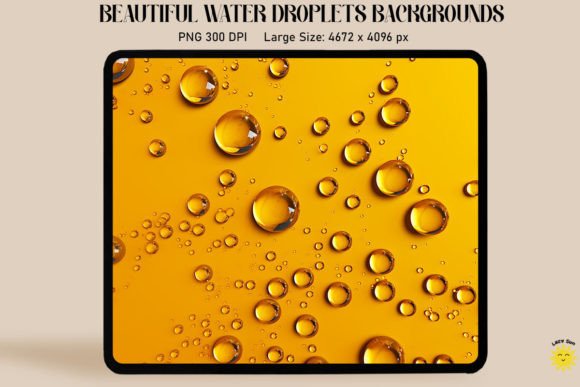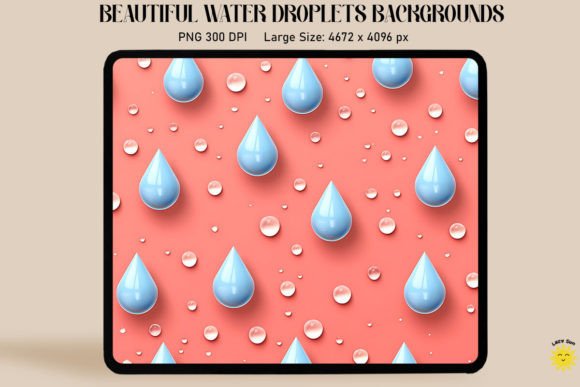
Capturing Nature's Detail: Using 3D Rain Drops on Pastel Backgrounds
There is a specific kind of tranquility found in watching rain slide down a window pane. It is a texture that is both chaotic and mesmerizing, offering a sense of depth that flat images often miss. As a designer, capturing that realism is notoriously difficult, but the 3D Rain Drops on Pastel Backgrounds collection brings that exact hyper-realistic quality to your toolkit. This is not just a stock image; it is a high-fidelity asset designed to add immediate dimension and atmosphere to your creative projects.
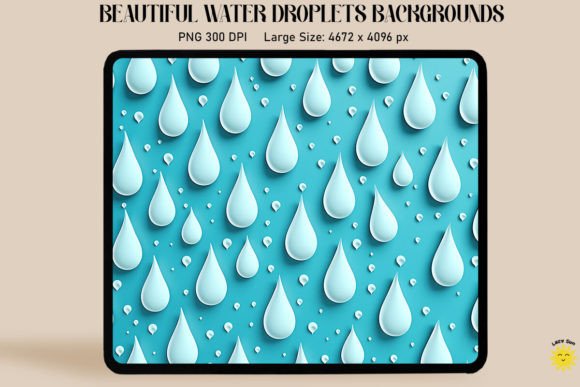
At its core, this collection features meticulously rendered water droplets that appear to sit physically on top of a soft, muted surface. The "pastel" aspect is crucial here. Unlike harsh, high-contrast backgrounds, these soft washes of color allow the crystal-clear nature of the water to take center stage. The style is clean, modern, and incredibly versatile. It balances the organic chaos of liquid with the controlled precision of 3D rendering, creating a look that feels both natural and polished. Whether you are designing a serene spa menu or a vibrant splash screen for a weather app, the visual personality of these assets bridges the gap between nature and digital artistry.
Visual Appeal and Technical Specifications
When evaluating design assets, the technical details are just as important as the aesthetic appeal. This resource includes a substantial PNG file sized at approximately 4672 x 4096 pixels. This high-resolution footprint (300 DPI) ensures that the asset is print-ready out of the box. You have the freedom to zoom in on specific clusters of droplets for a cropped web banner or use the full width for a large-format print without losing a single pixel of clarity.
The visual texture here is the real star. The droplets are rendered with crystal clear fidelity, capturing light refraction and subtle shadows that give them their 3D pop. This is particularly effective for creating a "glass" effect. By layering this asset over your typography or photography, you can instantly simulate looking through a rain-streaked window. This technique adds a layer of intimacy and depth to social media graphics and web backgrounds, drawing the viewer's eye into the focal point of your design.
Strategic Applications for Designers and Brands
Understanding where to deploy 3D Rain Drops on Pastel Backgrounds is key to maximizing its value. This asset is not limited to one niche; it serves as a versatile tool for various creative industries.
- Branding and Packaging: For brands in the wellness, beauty, or beverage industries, water conveys purity and freshness. Using these droplets in packaging design can suggest a cooling effect or a dewy finish. It works exceptionally well for skincare lines or sparkling water branding, where the texture reinforces the product's quality.
- Editorial and Web Design: In editorial design, these backgrounds can set a mood for a seasonal article or a poetry spread. On the web, they make for stunning hero images. Because the pastel background is soft, it ensures that overlaid text remains legible, solving a common contrast issue found in web design.
- Invitations and Stationery: The soft palette makes this ideal for event stationery. Think spring weddings, baby showers, or serene meditation retreat invitations. The liquid droplets add a tactile element to the digital or printed card, making the recipient feel the texture before they even touch the paper.
- Digital Content Creation: For bloggers and YouTubers, these assets serve as excellent overlays for video intros or podcast cover art. The "rainy day" aesthetic is universally recognized and evokes a specific emotional response—coziness, introspection, or renewal—depending on the pastel hue used.
Enhancing Visual Hierarchy and Brand Perception
Visual hierarchy is about guiding the viewer's eye, and texture is a powerful tool in that process. By placing 3D Rain Drops on Pastel Backgrounds behind a call-to-action or a logo, you create a natural focal point. The eye is drawn to the complexity of the water texture, which in turn highlights the clean vector or text placed on top of it.
This asset also influences brand perception. In a market saturated with flat, minimalist designs, adding realistic texture signals a level of care and investment in quality. It suggests that your brand pays attention to details. For a small business owner, using high-quality assets like this elevates your visual identity from "homemade" to "professional." It communicates that you value aesthetics and are willing to go the extra mile to create an immersive experience for your audience.
Practical Workflow and Design Tips
Integrating this asset into your workflow is straightforward, provided you keep a few practical considerations in mind. Since the file is delivered as a ZIP archive, ensure you know how to extract files on your operating system before purchasing. Once extracted, you will have a high-quality PNG ready for use in software like Adobe Photoshop, Illustrator, Canva, or Affinity Photo.
Here are some practical recommendations for getting the most out of this resource:
- Blending Modes: To make the rain drops look like they are sitting on top of your existing design, experiment with blending modes in Photoshop. "Overlay," "Soft Light," or "Screen" can help the shadows and highlights of the water interact with the colors beneath them.
- Color Grading: While the background is pastel, you can easily color grade the entire asset to match your specific brand identity. A quick "Hue/Saturation" adjustment layer can shift the background to match your brand's primary or secondary colors without affecting the clarity of the water.
- Cropping for Focus: Don't be afraid to crop aggressively. Because the resolution is so high (300 DPI), you can zoom into a small cluster of three or four droplets to create a subtle, abstract texture for a business card or a letterhead.
- Layering Strategy: When using this for graphic design, place your text layer above the rain layer. However, if you want a "behind the glass" effect, place the rain layer on top of your image or text, and lower the opacity slightly to let the content show through the water.
Why Texture Matters in Modern Typography
In the realm of modern typography, flat text is often being replaced by text that interacts with the physical world. We are seeing a trend where serif fonts and bold sans serif fonts are being masked with textures like water, smoke, or stone. 3D Rain Drops on Pastel Backgrounds is the perfect asset for this technique.
If you are working on a logo design for a weather service or a hydration brand, masking your typeface with these water droplets can create a memorable mark. It works particularly well with bold, heavy typefaces where the surface area is large enough for the texture to be visible. Even for script fonts or handwritten fonts, a subtle water texture can add a "dewy" or "fresh" vibe to the lettering, making it pop off the page.
Ultimately, this collection is more than just a background; it is a versatile design asset that solves the problem of adding realism and depth to digital projects. Whether you are a seasoned graphic designer looking for new textures or a content creator